Your Knowledge,
Connected
Transform your notes into a living, interactive knowledge network. Work privately on your device, or collaborate with your team in real-time.
See your ideas come alive
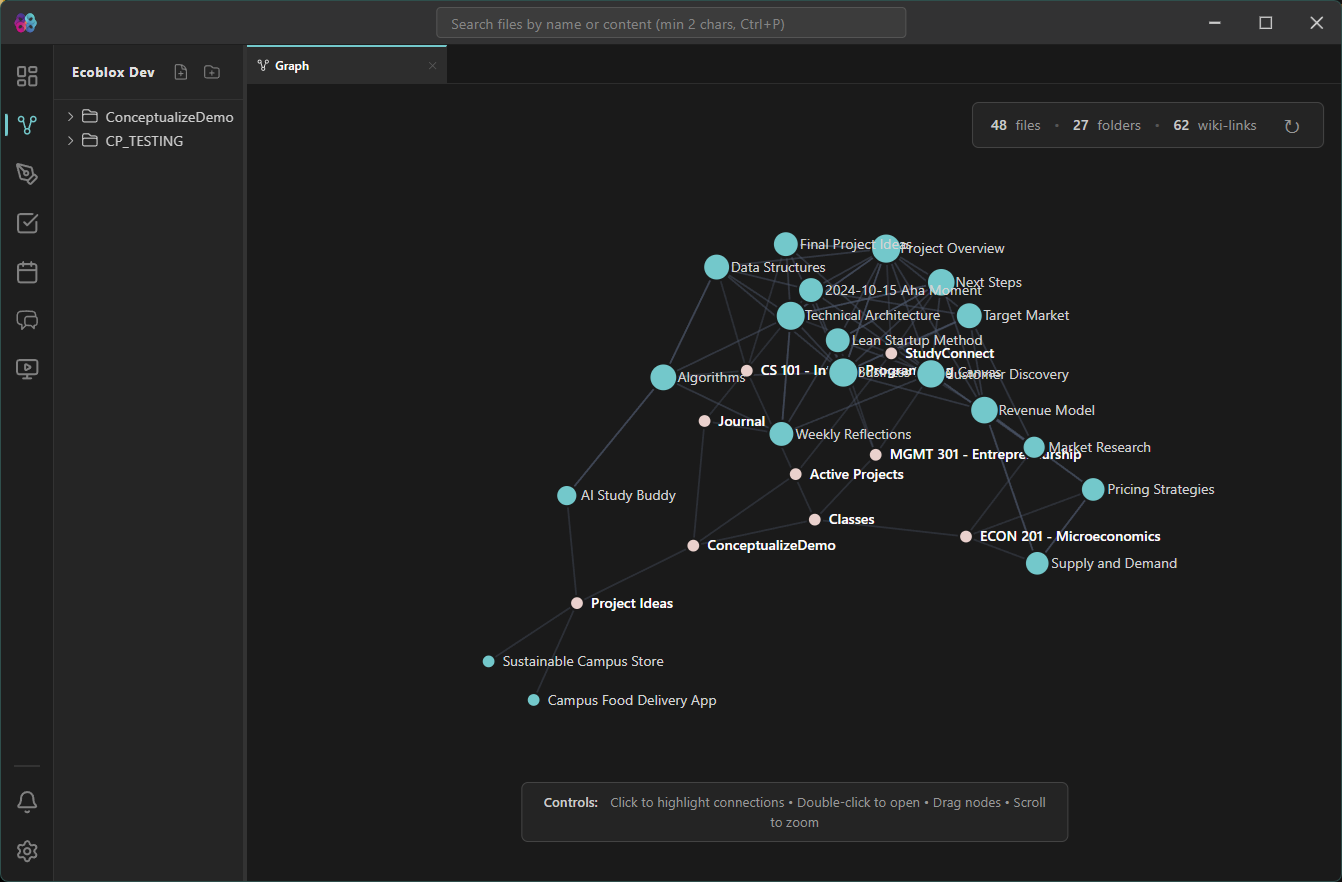
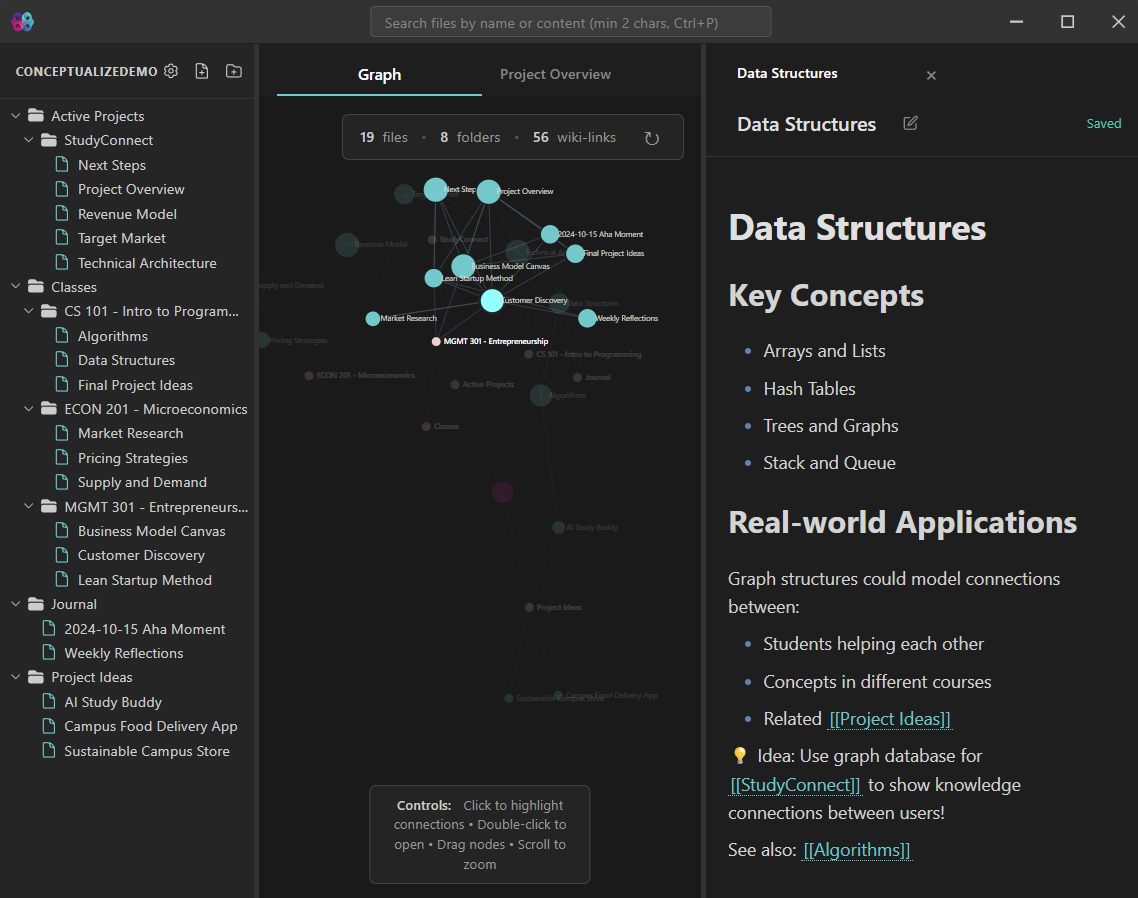
Watch your notes transform into an interactive force-directed graph. Every note becomes a node, every link a connection. Drag to explore, zoom to focus, double-click to dive in.
- Real-time graph updates as you write
- Color-coded clusters and connections
- Discover hidden relationships
Connect ideas effortlessly
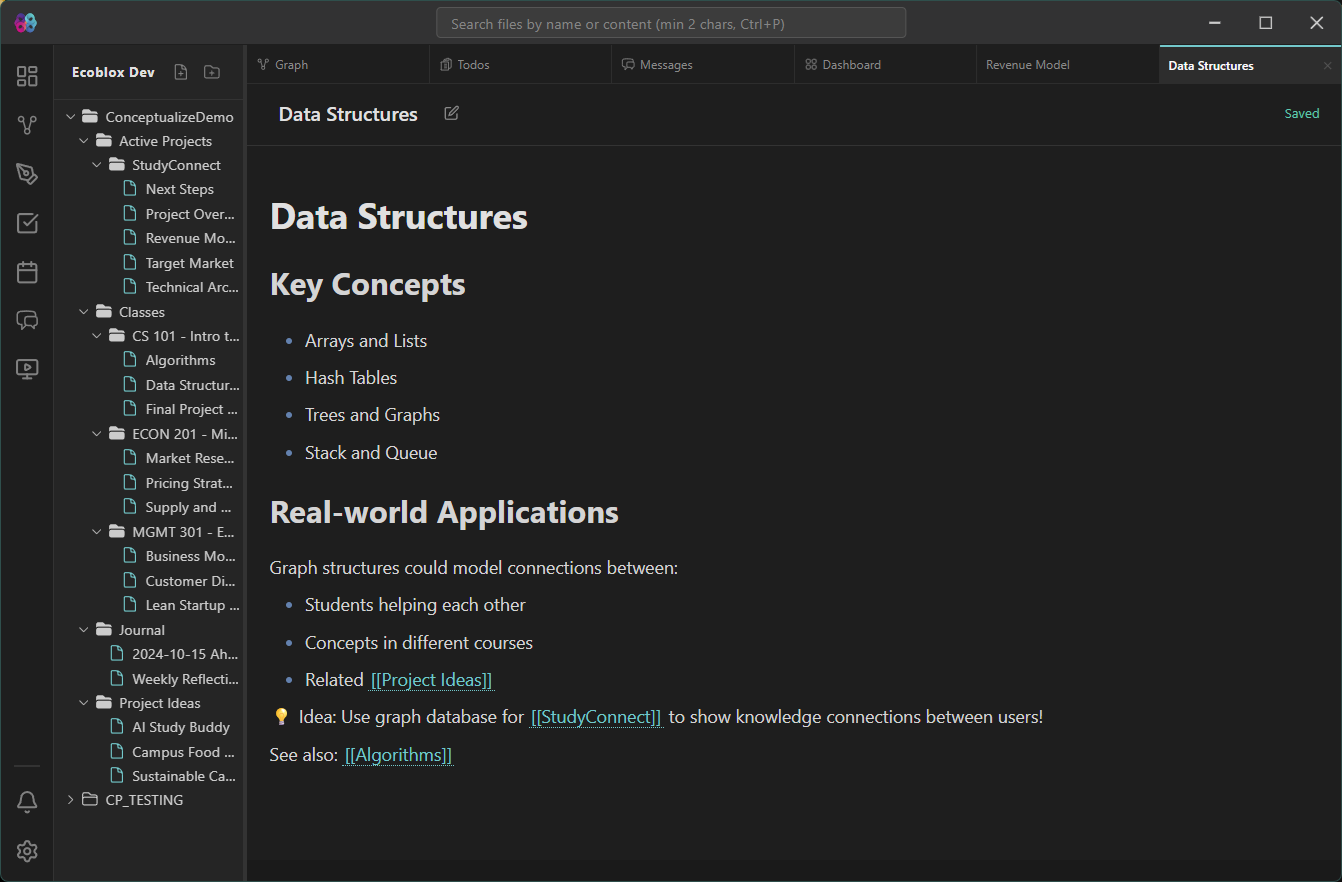
Type [[ and watch the magic happen. Auto-suggestions help you link to existing notes, or create new ones on the fly.
- Smart autocomplete suggestions
- Rich Markdown editor with shortcuts
- Inline todos and checkboxes
Plan your work visually
More than just a todo list. See your tasks on a Gantt-style timeline. Drag to reschedule, track progress, and never miss a deadline.
- Daily, weekly, and monthly views
- Drag-and-drop scheduling
- Priority levels and categories
Team Mode
Everything you love about Conceptualize, now with real-time collaboration.
Stay connected with your team
Discord-style messaging built right in. Create channels, share files, react with emojis, and keep conversations organized with threads.
- Channels and direct messages
- File sharing and image preview
- @mentions and notifications
Meet face-to-face, anywhere
Jump into HD video calls with a single click. Share your screen, blur your background, and record meetings for team members who couldn't attend.
- HD video with virtual backgrounds
- Screen sharing
- Meeting recordings
Brainstorm together, visually
An infinite canvas for your team. Draw, diagram, and plan together in real-time. Perfect for brainstorming sessions and visual thinking.
- Real-time multi-user editing
- Shapes, arrows, and sticky notes
- Export to image
Your data, your choice
In Personal Mode, everything stays on your device. No cloud, no account, no tracking. In Team Mode, your data syncs securely through Google Drive or Firebase - you stay in control.
Local-First
Personal Mode works entirely offline. Your notes are plain .md files on your disk.
Secure Sync
Team Mode uses your Google Drive or end-to-end encrypted Firebase storage.
Open Format
Plain Markdown files. No vendor lock-in. Export anytime.
Simple Pricing
Start free. Upgrade when you need team features.
Personal
For individual use
- Unlimited local notes
- Graph visualization
- Task management & timeline
- Wiki-links & autocomplete
- 100% local & private
Pro
For teams & collaboration
- Everything in Personal
- Team workspaces
- Real-time chat & threads
- Voice & video calls
- Collaborative whiteboards
- 10GB cloud storage
Frequently Asked Questions
Got questions? We've got answers.
Is Personal Mode really free forever?
Yes! Personal Mode is completely free with no hidden costs or time limits. All core features — unlimited notes, graph visualization, task management, and wiki-links — are yours to use forever. We believe everyone deserves great note-taking tools.
What happens to my team's data if I cancel Pro?
You'll keep read-only access to all your team notes, and you can export everything as Markdown files at any time. Your data is never locked away. You just won't be able to use real-time collaboration features like chat, calls, and whiteboards.
What's the difference between Personal and Team Mode?
Personal Mode is 100% local — your notes are stored as plain Markdown files on your device, work offline, and never touch a server. Team Mode adds real-time collaboration with cloud sync, team chat, video calls, and shared whiteboards.
Can I use Conceptualize offline?
Absolutely! Personal Mode works entirely offline since everything is stored locally. Team Mode requires an internet connection for real-time features like chat and calls, but you can still access and edit cached notes when offline.
Where is my data stored?
In Personal Mode, all data stays on your local device as plain .md files in a folder you choose. In Team Mode, notes sync via Google Drive (your storage) or Firebase (secure cloud). You always have full control and can export anytime.
Do you have access to my notes?
No. In Personal Mode, we have zero access — everything is local. In Team Mode, if you use Google Drive, files stay in your Drive. If you use Firebase storage, your data is encrypted and we don't access or analyze your content. Your notes are yours.
Why does Windows show a security warning?
Windows SmartScreen shows warnings for new apps that haven't built up a reputation yet. This is normal for any new software. To proceed, click "More info" then "Run anyway". Conceptualize is safe, open-source friendly, and doesn't contain any malware.
Ready to connect your ideas?
Download Conceptualize and transform how you organize knowledge.
Windows 10+ (x64) | macOS (Apple Silicon) - Version 1.0.9 - Linux coming soon
Note: Windows may show a SmartScreen warning. Click "More info" → "Run anyway" to proceed.